Effective November 6, 2026. Read about website navigation, accessible form features, keyboard support and ways to request help exploring United Language Professionals Corp services.
The contact page provides alternative ways to ask about services. Our Privacy Notice explains inquiry data, and the service FAQs provide another route to common appointment information when you are exploring the site.
Accessibility Statement: our purpose
United Language Professionals Corp wants visitors to be able to learn about language services and contact the team using the tools and devices they prefer. This statement describes the website’s intended accessibility features, practical ways to use them and alternatives when a barrier occurs. Updated November 6, 2026. It is an explanation for visitors rather than a claim of independent accessibility certification. For assistance, call (678) 882-4100 or email Support@unitedlanguageinterpreters.com. Describe the page or task that is difficult without including patient records, confidential case information or unnecessary identity documents in an initial message.
Scope and conformance status
The statement covers this business website’s information pages, navigation, coverage checker and inquiry form. It does not certify the accessibility of a separate email application, telephone service, hosting sign-in page or remote-meeting platform. Web Content Accessibility Guidelines provide a useful framework for improving digital access, but a full conformance claim requires appropriate evaluation of all applicable criteria. This website does not assert complete conformance across every combination of browser, assistive technology and device. If a feature fails for you, that experience matters even when it works in another environment. Contact the team so an alternative path can be discussed.
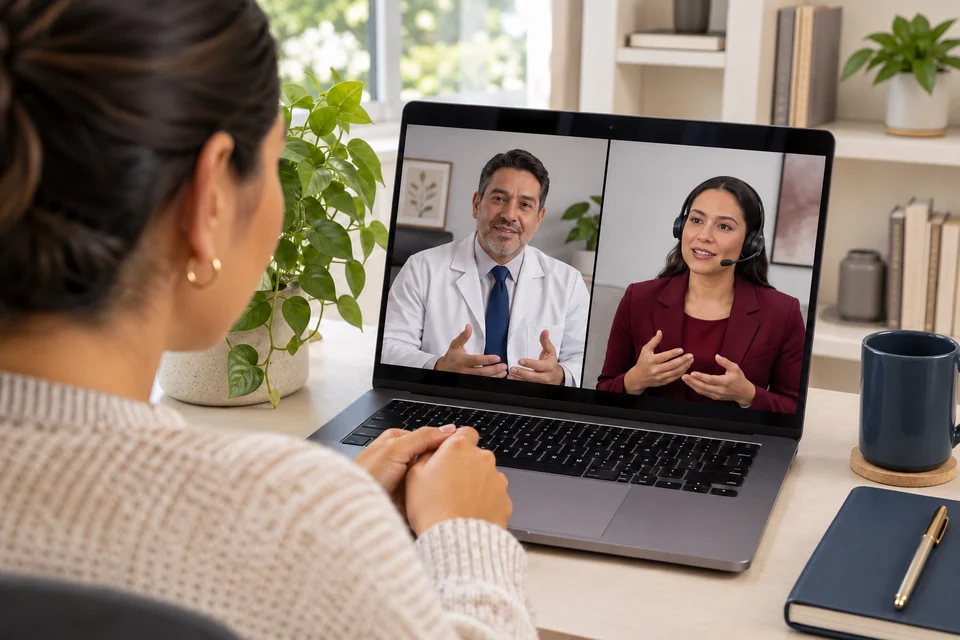
Telehealth interpretingIllustrative scene
Finding the main content
A skip-to-content link appears when reached through keyboard focus and lets a visitor move past repeated navigation to the main page area. The site also uses recognizable page headings and navigation labels to help people identify where they are. A descriptive page title appears in the browser tab. These features can support people who navigate with a keyboard, a screen reader or a browser’s built-in page tools. If you lose your place, the Home link and the footer’s Explore links provide another route to the main information. The Contact page remains a direct way to reach the team.
Keyboard navigation and visible focus
Links, menu controls, form fields and expandable questions are intended to be reachable without a mouse. A visible focus outline helps show which control will respond when activated. Use the keyboard commands appropriate to your browser or assistive technology to move between interactive elements. The website does not require a drag gesture to access the service descriptions or submit text to an email draft. If focus appears trapped, disappears behind a panel or moves in an unexpected order, please report the page and control. Do not continue entering information if you cannot reliably tell which field currently has focus.
The mobile menu
On smaller screens, the main navigation is presented through a Menu button. The control communicates whether the menu is expanded, and the menu contains the same primary destinations offered on a wider layout. The Escape key is intended to close an open menu and return focus to its button. Visitors can also use footer links to reach the main pages. If the menu is difficult to operate with a particular screen reader or keyboard, explain the device, browser and step where the problem occurs. A screenshot is optional; a plain description is enough to begin discussing the barrier.
Headings, reading order and language
Pages use a main heading followed by section headings so visitors can scan the subject and use heading navigation where their tools support it. Content is presented as text in the page rather than only as words inside a picture. The website’s present written language is English, while the business’s interpreting service connects English- and Spanish-speaking participants. Those are different features: offering Spanish interpreting does not mean every website page has a separate Spanish version. If written English creates a communication barrier, contact the team to discuss the information you need and an appropriate way to help with your inquiry.
Readability, color and image descriptions
The design uses readable text, spacing and contrasting surfaces to distinguish page content and actions. Important meaning should not depend only on a decorative image or a color difference. Meaningful images include descriptions, while decorative elements are intended to avoid unnecessary repetition for assistive technology. A portrait description identifies Marco Dominguez without embedding essential service information in the image itself. If text is hard to distinguish against a background or an image description does not explain useful content, tell the team which section is affected. Visitors should be able to understand the service descriptions through the written page content.
Zoom, reflow and screen size
The layout is designed to adjust across desktop, tablet and mobile screen sizes. Browser zoom can enlarge text and controls, and responsive columns can move into a single reading flow on narrower screens. Device settings, browser extensions and very high magnification may still expose issues that are not apparent in another environment. If content is clipped, overlaps or requires difficult sideways scrolling, include the page address and the approximate zoom or text-size setting when reporting it. Avoid reducing text below a comfortable size simply to complete an inquiry; contacting the team by another method is an available alternative.
Primary care communicationIllustrative scene
Motion preferences
The website is intended to respect a device’s reduced-motion preference for optional transitions. The core service information does not depend on an animation finishing or on following moving objects. A visitor can read pages and use links without playing a background video. If a transition or scrolling effect causes discomfort, use the relevant device or browser preference where available and report any effect that continues to interfere. Accessibility preferences differ among people, so a generally restrained design is not a guarantee that every visual effect will work for everyone. Feedback should describe the experience and the page involved.
Using the ZIP coverage checker
The coverage form includes a labeled five-digit ZIP field and a button to check the published in-person dispatch list. Its result is displayed as a status message so assistive technologies can identify the update where supported. The full set of covered ZIP codes is also shown as readable page content. If the interactive result is not announced or the form is difficult to use, consult that visible list or call the team. The checker is informational; it does not book an appointment. An accessible alternative for obtaining coverage information should not require sharing patient details or a residential street address.
Inquiry fields and error correction
The contact form identifies the requested information with labels and marks the information needed to prepare a useful inquiry. Optional fields can be left blank. Browser validation helps identify missing or incorrectly formatted entries, such as an incomplete email address or ZIP code. Validation messages can vary between browsers and assistive technologies. Review the entered information before preparing a draft, especially when autofill has inserted an old contact or a personal location. If validation cannot be understood or corrected, use a direct email or phone call instead. The form is a convenience, not the only way to contact United Language Professionals Corp.
Email drafts and copy alternatives
Preparing a request asks the device to open an email application containing a draft. Visitors must review and send the message there; the website does not automatically send it. A copy option provides another way to move the request into a preferred email tool. If direct clipboard access is unavailable, selectable text may be displayed for manual copying. These alternatives help with different device configurations, but they depend partly on the visitor’s own applications. If neither approach is usable, call or compose a short email directly using the published address. General scheduling information is enough to start the conversation.
Browser, script and third-party limitations
The site uses standard HTML and CSS for its content and JavaScript for the menu, coverage comparison and email-preparation convenience. Browser security restrictions or disabled scripts can affect those interactive features. Core service descriptions and contact information remain visible as page content. During private review, the hosting provider may require sign-in before the website can be accessed; that separate interface is outside the business site’s own page controls. An external application may also present a barrier after a phone or email link opens. Identify which part of the experience failed so the team can distinguish a website issue from an application limitation.
Reporting a barrier
Useful feedback can include the page address, the task you were attempting, the control or passage involved and what happened instead of the expected result. If comfortable, identify the browser, device and assistive technology used, but do not feel required to disclose a diagnosis or disability history. You can also say which contact method or information format would help you continue. The website does not promise a fixed response deadline, and a barrier report does not confirm an interpreter assignment. If an appointment request is time-sensitive, mention that scheduling issue separately when speaking with the team.
Assistance and appointment requirements
Website accessibility and the requirements of an interpreting assignment are related but distinct. If an appointment needs a particular communication accommodation, explain the general requirement during coordination. The team must review the assignment and its suitability rather than assuming that a website feature proves service availability. English–Spanish spoken-language interpreting does not establish that sign-language interpreting, captioning or another accommodation is offered. Those needs should be discussed explicitly so the requesting organization can follow its own responsibilities and arrangements. Avoid entering health or disability records into the contact form merely to explain that a different communication format would be helpful.
Ongoing improvement and contact
Accessibility review is an ongoing part of maintaining a usable website. Changes to content, navigation, forms or hosting access can introduce new barriers, so feedback should be considered with the current page experience. This statement does not claim an external audit, formal certification, accessibility officer or organization-wide training program that has not been established. It explains the features available in this release and how to request help. Contact United Language Professionals Corp at (678) 882-4100 or Support@unitedlanguageinterpreters.com if you cannot access information or complete a general inquiry. The team can discuss another way to provide the needed information and coordinate next steps.